Tuesday, February 02, 2010

Guess What!

I'm going to FOSDEM, the Free and Open Source Software Developers' European Meeting

But probably only one day.
Anyone planning a KDE dinner?

Tuesday, December 29, 2009

What we'll be doing the coming months

We'll be building a house, that's what.

For the past 3 years Wendy and me have been planning this project and it's damn time we started.... which we did the past 2 days. Here is photographic evidence:
big hole in the ground

That big hole in the gound is only the start of what, over the next few months, is supposed to become this beautiful piece of architecture:
The architects first sketch

Notice the sun in this sketch because it's what this house will use as it's main heating source. It will be solar passive house meaning it will use about 10 times less energy to heat then a regular house here in Belgium. If the budget allows we'll put enough photo-voltaic panels on the roof to never have an electricity bill over €15 per year. And since we are geeks it will have domotics and multi-room audio.

Designing and building your own house is common in Belgium. According to a saying we have "a brick in our stomach". We are not using bricks though, it's a combination of a concrete "pit" containing a wooden frame clad with cement bonded panels. And the layout is upside down, bedrooms downstairs (and partially underground) and the open-planed living spaces about 1.5 meters above ground level, which itself is 2 meters above street level.

This is as unconventional as you can get in this country but anyone that knows Wendy and me could guess we wouldn't have it any other way :).

If you are interested and can read Dutch (or just want to look a the photo's): we maintain a blog on a eco oriented site for (potential) builders called ecobouwers.be.
And I'll add a few English posts to my other blog which I named after the house number we've been assigned: 12C.

Greets
Bart & Wendy

Monday, November 23, 2009

Amarok Podcasting - Progress

Here is what a day off from work can mean for Amarok:


VERSION 2.2.2
FEATURES
* Make it possible to change a podcast channel's URL. (BR 195204)
* Also support feed:// urls for subscribing to podcasts.
* Limiting the number of simultaneous podcast updates and downloads to 4. Can be
configured separately in the rc-file.
* Import podcast subscriptions from OPML.
* Show HTML info for podcast channels that support this. Patches by Mathias Panzenböck.
(BR 193357)
CHANGES:
* Podcast auto-update interval is now configurable in the rc-file. Default is 30
minutes. (BR 212467)
BUGFIXES:
* Made dragging from podcast list to external program work. (BR 212343)


That is 2 branch merges (one from me and one from Mathias) and about 20 commits. Energy that would otherwise be spend commuting and beating an embedded system into shape. I would call that a well spend day off :).

Podcast configuration options
There now 3 hidden configuration options added to amarokrc:

[Podcasts]
AutoUpdate Interval=30
Maximum Simultaneous Downloads=4
Maximum Simultaneous Updates=4


The interval is in minutes and updates also includes adding a new subscription.

OPML import
You can also import subscriptions from an OPML file. And it's pretty fast already.
Proof in the form of a screencast: I'm importing 50 feeds from the Digital Podcast directory.
Uploaded to vimeo, ogg version also downloadable there.


Bart

Friday, October 09, 2009

KIO::UPnP

I've started a new project on gitorious, KIO::UPnP.
Originally wanted to upload it to svn but discovered I lost my account's password. Expecting KDE to move to gitorious soon anyway (hint!).

This code has been in development for a long time, started at the first UPnP Developers Sprint in Paris back in May, by Ade and me.
Then it slumbered a bit on my hard-drive, and grew a bit on Ade's as it seems. Because of Ade's various other projects I took it over from him some months ago. But because of all my various other projects it took until the 2nd UPnP sprint last weekend for me to touch it again.
Friedrich's network:// kio-slave also lists upnp devices but from a higher view. He lists all UPnP devices with any services but will forward to upnp:// when you click a upnp-mediaserver entry.

The project goals as so concisely written on the projects wiki:

Create a UPnP kio slave that will connect to a UPnP Media Server to interact with content on it.

Supported actions depend on the servers capabilities:
– Browse
– Search
– Upload
– Edit


For most UPnP servers you should only expect the browse though.

The ultimate goals of the upnp kio-slave is to be used as the base for an Amarok Collection. There I'll have to do some trickery to allow even the simplest servers to be searched. Thankfully the MemoryCollection and MemoryQueryMaker will help me there.

For now I'm stuck at demarshaling DBus reponses from Coherences org.DLNA.DMS.CDS.Browse. I think there are just to many levels of DBus variants (variant which is an array of variants that holds an array of dict entries which are string,variant v[av[a{sv}]] ). Frank is fixing that for me this weekend though (should be aa{sv}).

So now it's out there in a conveniently collaborative form, don't be afraid to help me out.

Thursday, July 16, 2009

Apple breaks Palm Pre compatibility. Or: an open letter to Palm

Dear Palm,

When you launched the Pre everyone was very excited about the excellent job you did. Everyone except Apple that is, they don't like such strong competition.

You decided to reverse engineer the iTunes database "protocol" used in Apple products and implemented it from the device side on the Pre. This has the benefit of being able to sync the Pre with iTunes on any PC or Mac without installing extra software.
And you didn't have to invest in development of your own desktop software, which is not a differentiating feature for you. You're in the business of selling phones, not software. I don't think deciding to "outsource" this to Apple was a smart move though.

So now the bully is attacking you on *their* playground:


From Engadget Mobile

And then they say it's your own fault. You could go crying to the principle (or whatever you want to call court you want to file the anti-competitive lawsuit with).

But if you have a problem, if no-one else can help, and if you can find them, maybe you can hire the AMAROK-TEAM!

The media-player support in Amarok 2 is shaping up to be very flexible, complete and easy to implement thanks to the hard work of 2nd time GSoC student and hacker extraordinaire Alejandro.

We can quickly add support for the Palm Pre, or any other player, providing there is a way to access the database and we have documentation of the data-format. We already have iPod and MTP support and the same system is used to implement audio CD as a collection. iPhone OS 3.0 is being worked on as well as UMS (generic USB device) and OBEX (many cellphones).
We promise not to change our application to prevent users to use Amarok with your device. Not only do we care about our users, we are not a competitor to you or have any ulterior motives.
Amarok is already fully supported on all flavors of Linux and we have beta releases on Windows and Mac OSX which just need a bit of polishing and stabilization.

Serious business proposals can be send to the Amarok team at business@getamarok.com (these emails will not be publicly readable).

Sunday, May 10, 2009

UPnP DevSprint in Paris


Hi from Paris, where together with [ade], dev, erwan, philn and lightyear I'm at the Coherence/KDE developer sprint focused on UPnP.
Yesterday, after struggling with QtDBUS (specifically the under-documented qdbusxml2cpp) I managed to the signals from Coherence and call functions. So now I can discover the devices on the network.

The signals are connected to a UPnPCollectionFactory that should create a new collection for each mediaserver (containing music) on the network.

Next step will be to really talk to the devices themselves. That will require some XML parsing, which can get a bit complicated. With any luck I'll find a Qt based DIDL-lite parsing library. Consider that a lazyweb questions :).

A bientôt,
Bart

Friday, February 13, 2009

UPnP support in KDE and Amarok

During FOSDEM [ade] and I met with Frank Scholz, the lead developer of Coherence. We discussed DLNA/UPnP and how Coherence can be used in KDE and Amarok. The conclusion of this meeting was that we should use Coherence as our base for supporting UPnP services in KDE. The first implementation will be a KIO slave for browsing media stored on remote devices.

UPnP is a network technology using a combination of SSDP, XML and SOAP, with some GENA thrown in for eventing. A group of UPnP services called the UPnP A/V Architecture has been picked up by an industry organization called the Digital Living Network Alliance. DLNA specifies device classes which have to implement specific services and support a minimal set of filetypes and codecs.

Coherence is a framework, written in Python but it exposes a DBUS API, that allows an application to participate in the "Digital Home Network". For the moment this means mainly UPnP, but support for Ampache is available and Apple's DAAP is also considered. It's published under the MIT license and is multiplatform.

In Amarok we have been planning to integrate UPnP for a long while. But except for a failed Google Summer of Code project last year not a lot of effort has been spend. Thanks to Coherence this will quickly change: in relative short term (read 2.2) we will introduce a UPnP Collection that will list and enable playback of music stored on a DLNA Digital Media Server.

We could even consider publishing the content in the local Collection, basically making Amarok a DMS. Amarok can then track plays on remote devices and use it in the scoring algorithm.
Even more advanced functionality would be to control one or more Digital Media Renderes, such as
the Philips Streamium, from Amarok.

A few mails have been going back and forth between interested developers about discovery of network services in general. In order to simplify using technologies as UPnP, zeroconf, Samba, etc I'm wondering if we can integrate this in Solid. Only the discovery part obviously, using the services would be the task of separate frameworks, such as Coherence. With this functionality in Solid it should be trivial to show a kind of "Network Map" to the user with all the services per device.

As you can tell, plenty of cool things to keep a few people busy for a year or 3.

Bart

Monday, February 02, 2009

Amarok Junior Job: Auto-download new podcasts

A recent comment by progmanos on the post of the 2.0.1.1 release reminded that I still have to implement Podcast episode auto-downloading. In the hurry to get 2.0 released I did add the config option, but forgot to add the actual code to make it work.


In Amarok 2 Podcasts are implemented in classes derived from PodcastProvider. There can be mutliple providers, which allows for instance podcast syncing between Amarok and an iPod.
The default provider is SqlPodcastProvider. This is where the auto-download function should get implemented.

This is a nicelly contained and not to steep introduction to Amarok development. So it's an excelent Junior Job.
If progmanos or anyone else would like to have a go at it, contact me on #amarok on irc.freenode.net. My nickname is Stecchino.

Tuesday, November 04, 2008

Amarok podcasting 2.0 and post-2.0 plans

Hey fellow developers and users,

In Juli 2007, at Akademy Glasgow I started implementing podcasting support in Amarok2. Since then I was sidetracked a little, as you may be aware.

The little time I did manage to spend designing and implementing was short and far from focused. So a lot of features are not finished or just plainly missing. The framework I created underneath suffered from the same lack of focus and is need of a good review. I'm aware there is probably some overdesign and some parts might be to complex. If you feel you can help in that area I suggest you take a look at extragear/multimedia/amarok/src/podcasts . Send questions, comments and suggestions to amarok-devel@kde.org .

The 3rd beta from Amarok 2.0 is already out the door and podcasting support is still not finished. In order to make it I had to reduce some goals I had set for myself during those rainy summer days in Scotland. Here's the plan:

Amarok 2.0:
The focus ATM is on finishing the SqlPodcastProvider, Podcastmodel and PodcastCategory (GUI).
SqlPodcastProvider uses tables in the standard SQL database, adds and updates the feeds using PodcastReader and downloads to disk using the regular KIO-jobs.
To make the podcasting fully functional though we'll need to reintroduce:
  • Autoscan the feed for updates
  • Download when available
  • Episode purging (delete downloaded episodes automatically)
The settings dialog for this exists, next up is using them :).
The GUI currently shows all episodes ever read from the feed, which obviously needs to be addressed.
The GUI for 2.0 should be very similar, if not identical to Amarok 1.4, probably minus folder tree grouping support since that is better handled generically for all Playlists (which PodcastChannel is in our class diagram).

If anyone has a bit of Qt Model/View experience and would like to see podcasting in Amarok 2.0 I suggest you send a mail to amarok-devel@kde.org or ping me on irc (Stecchino on #amarok).
Without help we might have to drop it's from 2.0 completely because it's a bit much for me alone to complete and stabilize.

Amarok > 2.0:
I do have a plan for a complete GUI overhaul post-2.0. I'll get some art and usability advice in another blog post when the time comes.

The 2.x releases should see more advanced features being introduced that the framework is already designed to support:
For the SqlPodcastProvider specifically:
  • Renaming and sorting individual episodes (popular request)
  • Purging based on episode age and/or total size on disk
  • Labeling of PodcastChannels (perhaps to replace traditional folder tree grouping)
More general
  • Mediadevice Podcast support: iPod being the most advanced implementation but also generic usb devices, music phones and Canola2, I'm sure the INdT guys could help us with that.
  • OPML import and export
  • Podcast Directory personal subscription list.
  • BashpodderProvider: to use bashpodder and Amarok in parallel with synchronized download status
  • ...
On to hacking.

Tuesday, October 21, 2008

Feature parity with KDE 3.5 ++: minimized windows

Yesterday the itching became to bad an I hacked a bit on plasma and kwin to restore the workflow I enjoyed with KDE 3.5.

  • The task applet in plasma can be configured to only show minimized windows since r874077.
And

So now KDE support my OSX inspired desktop configuration again. I would include screenshots but plasma is currently broken. Such is the life on the bleeding edge.

Monday, September 01, 2008

Drupal registration module for KDE summits

As you might have noticed, the registration page of the Akademy 2008 website is in fact a drupal site. The original concept for this was conceived by Niels van Mourik (who does drupal development as a day job) and further developed by Marijn Kruisselbrink and me.

It's a normal drupal installation so every person that registers gets a user account. After the login you are automatically redirected to the first page of the registration module where personal details have to be entered.
Next up is the accommodation and extra options reservation. We've used the extras this year for the social event and day trip which both had a 150 person limit and for inquiring about interest in bike rental. The N810 giveaway was also arranged with the options feature, with a limit of 100.

The 3th tab will summarize the selections made and the payment due to complete the registration. A payment ID is automatically generated to be used in a SEPA (EU bank transfer) form as comment to simplify manual processing of those payments. There is also a direct link to PayPal to make the transfer. Obviously all details were supplied to PayPal using it's API so the payment is only a few clicks away. The PayPal payments are automaticly processed using their Instant Payment Notification system.

Here are some of the most important features of the registration module you won't have noticed as a regular user:
* Registrants page: An overview of all registrations including name, email, payment ID, payment status, balance and a combobox to lock the registration forms. It also has a global lock to close registration and control new account creation.
* Accommodation Page: Here we can adjust the available spaces in the hostels that were arranged by the organization. It's also a convenient overview to check the status.
* Reports: SQL queries and results on the internal database. Output in HTML with adjustable links for each tuple and CSV. It also does parameterized queries.
This is really the most powerful feature and has allowed us to do just about anything we wanted with the information in the database. Some examples of that are the automatic generation of conference invite letters for visa applications and namebadges. This was achieved with TeX classes written by Bart Coppens.
The MAC addresses were downloaded and parsed by bash magic to be used in the pfsense portal that provided access to the internet and gave everyone a static IP lease.

The module was functional for Akademy yet it was missing some important features and needs refactoring:
Refactor:
* Change the name of the module
* Change the names of the database tables according to the event name
* Rename the functions to something generic instead of akademy_*

Absolutely needed features:
* Confirmation emails
* Automatic reminder emails

Workflow design:
* Timeline: phases in the registration to control which fields are possible to be edited by whom and deadlines
** Accommodation booking open -> deadline
** Registration open -> deadline
** During event: only certain fields can be adjusted
* Deletion of incomplete registration at the registration deadline

Optional participant features:
* Optional additional visa form with more privacy sensitive data
* Cancel registration by participant him/herself
* More payment options like Google Checkout

Back office features:
* Better "Accommodation" page
** Show free beds as well
** Adding and removing hostel
* Better "Payments" page and db table with dates, bank transfer numbers, etc.
** Deletion or correction of {payment} tuples after refunding
* Page for adding and editing extra options

Advanced back office features:
* Automatic visa invite generation using LaTeX
* Automatic payment receipt generation with support for company name
* Bank, PayPal, etc fee accounting included in the database tables. Needs to include date received and a summary of the booked accommodation and options
* Drag'n'Drop style room assignments using AJAX
* Option: integrate it into a larger community web 2.0'ish website
* Option: "arrived" field or {arrival} table
* Option: cmdline or GUI program to use at the reception desk for:
** marking arrivals
** print individual badge or all badges
In order for the registration module to be used for upcoming events the refactor and needed features has to be done first. After that, and possibly before the Summit in Gran Canaria, the rest can be implemented. Certainly the advanced back office features will be very much needed for a +500 people event.

This modules should not be used by KDE only though. In fact I plan to use it for a conference on our campus early next year (yeah, another one).

If you have PHP, drupal or HTML skills, just want to suggest something or want to help with testing, please join #kde-www or send a mail to kde-www@kde.org

Tuesday, August 19, 2008

The Akademy 2008 team

Niels already mentioned the core team. But Akademy 2008 had a lot more volunteers and helpers

My colleagues of the EmSys group:
* Tom Tierens
* Wim Dams
* Philip Van Pelt
* Johan Van Bauwel
* Lars Struyf
* Patrick Pelgrims
and one of our students: David Nelissen.

Without them the network and computer labs would never have been up, let alone running relatively stable.

Also helping us were with catering and booth duty:
* Bart Elsen
* José Millián Soto
* Ruben Dezeure

And the technical staff of the campus:
* Dirk Swiggers
* Alois Budts
For putting up with all those "geeks" "hacking" in the computer labs.

Leo Schoeters for getting us some exposure on a local TV-station.

Peter Mathijssen made the logo and banners for the website.

We've rented equipment for video recording and power which were kindly supplied to use at a very steep discount by Koen Buys of KB Design.

Lot's of people were involved in organizing Akademy 2008. I'm sure next years team will be even bigger and the quality and "glitch-free"-ness will be the proof of that.

Thanks to all of them for making Akademy 2008 a wonderful experience.

Monday, June 09, 2008

Akademy 2008 status


Hi Planet,

The registration for Akademy 2008 has been open for a week and a half now. After the initial rush during the first weekend the number of reservations for hostel beds was going up steadily.
Now the only hostel beds available are 4 on Friday the 8th, one on Tuesday, 2 on Wednesday and 3 on Thursday, most in hostel Zandpoort in the city. For those staying in hostel Zandpoort, we still have a few beds available in hostel Roosendael on Friday the 15th and the list of recommended hotels on the website has been updated. Since most hotels in Mechelen are business oriented they are cheaper on the weekend nights, you'll find prices as low as €59 per night.

Take a look at the pages for the Social Event and the Day Trip.
You'll read that we'll be partying with walking dinner and open bar on Saturday evening and going on a trip downriver on Thursday afternoon, also with yummy food and free drinks.

And let's not forget we all have a little padams in us:

Saturday, March 01, 2008

The best way to motivate: people

If you've been to a couple of Open Source conferences, you might have noticed that motivation spikes after such a meeting. I guess it's not the conference itself but rather the people that are present.
We'll it might not be true for everyone, but it certainly motivates me. Last weekend there was FOSDEM. I got a huge energy boost from that and managed to spend many an hour on Akademy during the 3 vacation days I took beginning this week.

I got the local Akademy team together to meet at café "Friends" in Mechelen. Everyone say hi to the team:

From left to right you'll see:
  • Pieter (Gunirus)
  • Bart Coppens (from krita fame)
  • Wendy
  • Pieter Vande Wyngaerde (just try to get that last name spelled right the first time :) )
Not in the picture are:
  • Andy Goossens
  • Wesley (profox)
  • Bart Cerneels (me, Stecchino, behind the camera)
These are the girl and guys that will be guiding you to and from Akademy 2008, around the campus, the hostels and the city. Better memorize their faces, you're wellbeing may depend on it :) An by that I obviously mean a nice bed and food.

We'll this should be enough to motivate me and the team members for another few weeks. And I hope it motivates you, dear reader, to start working on those ideas for Akademy 2008 as the call for participation will be published soon.

Greetings
Bart

Wednesday, September 26, 2007

Akademy in Belgium

Yes people it is true, I didn't have enough to do yet (still managed to get 6 hours of sleep a day). So I offered to organise Akademy, together with my girlfriend Wendy.

We do have a lot going for us: Great location (my employers campus), a strong local team (including my direct colleagues) and many great KDE contributors nearby like Bart Coppens and KDE-NL.
It's a quiet campus (at least in August, summer holiday) with every imaginable facility, even a party hall. It's close to the city center of Mechelen, where all the hotels are, with excellent public transport to the campus from the city center.

A few photo's to prove it:
The "auditorium" building with 2 lecture halls with 400 and 250 seats. Both are equipped with Barco projectors beaming an image 4 meters high on the pearl-white wall above the whiteboard, now that's eye-candy. On the ground floor is a cafeteria and the party room that fits 200 people.


I hear you thinking all this is nice, but what is a KDE conference without coffee. Here is a place many off you will make frequent passages:


When in Belgium for Akademy you'll be able to enjoy waffles, chocolates, frites and Belgian beer in any order and combination that you like.

We'll I'm off to organize some more. I promise to post more info and pictures soon.

Thursday, March 29, 2007

KDE4: Overlay-ed actions on icons

This is my first post on planetkde.org ... Hello Planet.

What follows is an attractive idea for KDE4 which kind of fits into aseigo's Plasma, which some seem to concider "vaporware".

Hidden in the right click, "context sensitive" menu are supposed to be the most used actions for a certain mime-type, making the life of the user easier by making him click less. Why then does the right click menu on most mime-types seem so overwhelming? There are cool and useful features hidden in those menu's that I never realised where there, didn't see them through the dense forest of features.

What would be good is that very common actions are even better to discover and use, not even requiring the user to click the right mouse button. The idea is to have the most common actions represented by small icons that get overlay-ed on the larger icon of the file or directory your mouse hovers over. It would allow us to open a foto in one of the available apps, say gwenview or krita, mail them to someone, change the resolution or apply as desktop background, all in one click on a certain place on the icon. It could look something like this idea I proposed earlier but for every item in a filebrowser, eroding the distinction between icons, widgets and other things you might find on the desktop.

Have you ever tried to explain a common action of a modern computer, like changing the desktop background image, to a novice user. Ever got the impression they didn't even find that simple feature because they never used the right mouse button? Guess children or novice computer users wouldn't mind the reduced complexity with this, being presented the option without needing to search. And I guess a lot of "advanced" computer wizz'es would mind a more organic feeling file-browsing experience, and for the critics there is always the option to turn it off.

Hope I can discuss and maybe even implement this at aKademy. So feedback is welcome, either in the comments or live, 2 months from now in Glasgow.

Stecchino

Thursday, December 14, 2006

Podcast appliance

Imagine a device dock, device in this case being a phone, iPod or any other media playing device, that is connected to the Internet and will download podcast episodes and put them on the device.

This piece of python code is supposed to run on an embedded device without storage. Just a small box that is connected to a docking station using USB. When a USB plug event is detected the main code queries the device specific Plugs for device presence. Podcasts are downloaded and stored directly on the device, without using any intermediate storage. When an episode is saved successfully it's status is saved in a database on the device. Listened episodes can be marked as such in the database. All configuration, database and storage is device dependant and implemented in a device plugin.

I can envision more capabilities like BitTorrent support and integration with web-services and maybe an Amarok script to sync the database.

The code is very rudimentary, only 2 plugs are implemented:
  • local storage plug: for testing purposes, can be reused for devices that can be mounted with usb-storage.
  • ObexFTP plug: I plan to use this for uploading podcasts to my cellphone. It still uses temporary storage until I add the necessary code to ObexFTP and OpenOBEX.
I haven't put copyright information in the files yet. Mainly because it is using a lot of other code and I haven't bothered looking at the licences. Feel free to use this code anyway you like.

I plan to use this code to upload podcasts to my phone from many different computers and embedded platforms without running any commands manualy. That means PodcastGrabber has to run as a service, listening to USB events, I might use HAL for that, but I doubt HAL is very useful on low-storage embedded platforms.

Sunday, September 24, 2006

KDE4: actions menu

Task driven menu for applications.
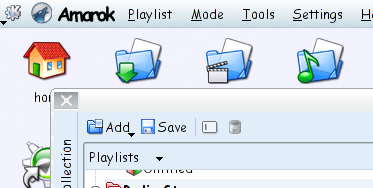
Have a "actions" menu in every kde application containing the most common actions you can do with it. ex. Amarok: "Play Media", "Play Audiocd", "Quit". When using the desktop menubar the actions menu gets renamed to the application name. See my previous post to see why that is useful.
Every user is different so it could change the order of the actions menu depending on the users usage of those actions. It can even insert actions that are not there by default. I guess most items in a well designed menu can end up in the actions menu. The developers have to tag menu items as actions but only a few of them (most used or default) end up in the actions menu. And, since automation seems to be bad usablility wise (according to Ellen), users and developers are able to pin items to the menu.
If you are shouting "this is similar to XP's start menu or the Kickoff menu". You are right, only on a single application level and much finer grained.

In Amarok we had the problem that users weren't finding the features we worked so hard to invent and implement just about every release. This actions menu could help the discoverability of otherwise hard to find but wonderful features without bothering them with things like "tip of the day" or that damn paperclip.

Comments are welcome

Wednesday, September 13, 2006

Sony-Ericsson K610i + HBH-DS970, a Linux users experience

This isn't a full review of either the phone nor the stereo Bluetooth headset, for a detailed report with pictures and the works read: mobile-review.com k610i and bengalboy about the HBH-DS970 headset

The K610i is 3G candybar feature-phone (not smartphone) with Bluetooth 2.0 , 2 MegaPixel camera and a low-res. camera in the front for video calls.
The kind of phone I was looking for should have:
  • A2DP support for using a stereo Bluetooth headset.
  • camera >= 2.0 MegaPixel
  • media player application (guess that comes with the A2DP)
  • preferably a smartphone for replacing the mediaplayer if necessary.
The K610i was actually the cheapest phone on my list, unfortunately it's not a smartphone.
It came without headphones. I didn't bother buying a wired, and pretty expensive, Sony-Ericsson stereo headphone, but ordered the HBH-DS970 A2DP stereo Bluetooth headphones from Expansys.
A quick explanation about A2DP:
The Advance Audio Distribution Profile is a recent addition to the standardized Bluetooth profiles and is possible to implement on devices with Bluetooth 1.2 or higher. It allows CD quality stereo sound to be send from a A2DP source (the phone) to a A2DP sink (the stereo-headset). In addition to that most A2DP capable devices support the Audio/Video Remote Control Profile support (AVRCP) which allows the mediaplayer to be controlled using the headsets build in buttons.
I've been using both devices for over a month now, mostly for listening to podcasts. So far I'm very pleased with them. The headsets battery last a least a full day with about 3 hours of listening, half an hour of talking and the rest in stand-by. I wasn't expecting anything more of a small necklace like device weighing only 27 grams.
The mediaplayer application on the K610i is definitely more geared towards music and doesn't support podcasts at all, neither does the windows software that came with it. You can create playlists on the phone but those are not saved as files.

In good Sony-Ericsson style the phone is fully standard compliant, supporting the OBEX Object Exchange protocol over Bluetooth, Infrared (IrDA) and USB connections. Among the supported OBEX methods is ObexFTP, obex push and SyncML over OBEX. This is good news for us Linux users since it insures compatibility with free and opensource software.
Browsing files on the phone can be done in 2 ways, Mass-storage device mode or OBEX transfer. Both have advantages and disadvantages.

The mass-storage mode is fast, using the phone as a USB2.0 card reader for the Memory Stick Micro inside. The biggest problem with this approach is that none of the phone functions are available while in mass-storage mode, so no phone-calls or listening to music. Also, on time of writing, the USB mass-storage driver in the ubuntu 6.06 shipped kernel fails to write all blocks to the MSMicro card, resulting a data loss and preventing safe unmounting. This will probably be fixed in more recent kernels.

I use a recent version of OpenObex to transfer podcast episodes to the phone with ObexFTP over USB2.0. This allows all phone functions to be used while transfering files. It is the same method used by the File Manager that's part of the windows software suit. Transfers over OBEX are slower though, just over 1 MB per second. Meaning a 30 MB file, quite common for a podcast would take almost half a minute. This is no problem for me because I use the USB cable to charge the phone and letting it transfer the files while doing other things. But I can imagine the frustration when you would like to quickly transfer a few files before leaving.

I automated the transfer of podcasts to the phone using a Python script found here. In Amarok I copy the files to a temporary folder using the generic mediadevice plugin, after which the script is used as the post-disconnect command (see screenshot). Transfered files are deleted from the tmp folder.

On my todo list is a Java 2 Mobile Edition application for playing audio files that maintains a playlist and a supporting mediadevice plugin. The idea is that played files are removed from the playlist. The Amarok plugin can then delete the old episodes from the phone and mark the as listened in the database.

If anyone want to volunteer for writing the J2ME player, the mediadevice plugin or improving the transfer script, send me a mail at bart [.] cerneels [@] gmail [.] com.

Suggestions are welcome in the comments (moderated for SPAM reasons).

Friday, June 02, 2006

KDE4: Improved desktop menubar

I use the desktop menubar all the time. Mainly because it saves some vertical pixels on every window, very useful on my widescreen laptop. I looks cleaner to.
For those of you that don't know what it is. The desktop menubar shows the menu of the focused application (instead of in the top of the applications main window). It's a feature borrowed from MacOS.
unfortunately unlike in apple's OS the menubar doesn't contain the name of the application the menu belongs to. That creates some confusion for those not used to it and sometimes irritates me.

I suggest that in KDE4, instead of the usual "File" menu (or in amarok 1.4-svn "Engage") be changed to the applications name when using a desktop menubar. Actually, isn't File a bad place to put the quit item? Settings would fit better in there to. KDElibs4 should just rename the first menu to the application-name or just add a icon in front of it like in the screenshot. I guess a lot more people will start using the menubar then.